How to Deposit Money in 3 Patti Tiger – Complete Guide
Depositing money into your 3 Patti Tiger wallet is the step that lets you join real money tables and start playing. This guide covers every available deposit method, the step by step process for each, the minimum deposit amount, how long deposits take to reflect, and what to do if a deposit does not go through. You need a registered and logged-in account before you can deposit — if you have not registered yet, visit the registration page first.
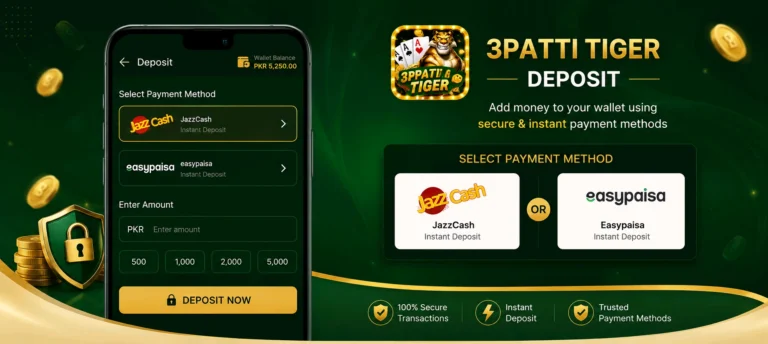
Available Deposit Methods
3 Patti Tiger supports two payment methods for deposits. All transactions are processed in Pakistani Rupees with no currency conversion required.
💚 JazzCash
Pakistan’s most widely used mobile wallet. Deposits via JazzCash are processed quickly and require no bank account. Enter your number and confirm with your wallet PIN.
🔵 EasyPaisa
Fully supported for deposits. Works the same way as JazzCash — enter your EasyPaisa number, confirm with your PIN, and funds appear in your wallet within minutes.
Minimum Deposit Amount
PKR 100 Minimum
The minimum deposit on 3 Patti Tiger is PKR 100. There is no publicly stated maximum — you can deposit any amount above the minimum. If you are new to the platform, start with a smaller amount to get familiar with how the wallet works before depositing larger sums.
How to Deposit Money
The deposit process is the same for both JazzCash and EasyPaisa. Select your preferred method in step 3.
- Open the app and log in to your account.
- Tap Wallet from the bottom navigation menu or main screen.
- Tap Deposit and select either JazzCash or EasyPaisa as your payment method.
- Enter your mobile wallet number and verify it is correct before continuing.
- Enter the deposit amount — minimum PKR 100.
- Confirm the payment by entering your wallet PIN when prompted. Do not close the app during this step.
- Your wallet balance updates within 2 to 5 minutes after the transaction is approved.
Important Tips Before Depositing
Double Check Your Wallet Number
Always verify that the mobile wallet number you enter is correct before confirming. Deposits sent to an incorrect number cannot be reversed automatically and will require support assistance.
Do Not Close the App Mid-Transaction
Once you initiate a deposit, keep the app open until you receive confirmation. Closing the app during a pending transaction can cause delays or require manual verification by the support team.
Only Deposit What You Can Afford to Lose
Never deposit money reserved for essential expenses. Real money gaming carries genuine financial risk and winnings are never guaranteed.
Common Deposit Issues
Deposit Not Reflecting in Wallet
Wait up to 10 minutes. If the balance still has not updated, take a screenshot of your payment confirmation and contact in-app Live Chat support with it.
Transaction Failed or Declined
Check that your wallet account has sufficient balance and that the mobile number entered is correct. Verify your internet connection is stable before retrying.
Payment Deducted but Wallet Not Updated
Do not deposit again. Contact in-app support immediately with your transaction reference number and payment screenshot for manual verification.
Deposit Option Not Showing
Make sure you are logged in and have a stable internet connection. Restart the app and try again. If unavailable, contact support.
Final Thoughts
Depositing on 3 Patti Tiger is a quick process once you are familiar with the steps. JazzCash and EasyPaisa both work reliably and most deposits reflect within a few minutes. The most important habits are verifying your wallet number before confirming and keeping the app open until the transaction completes.
If you have successfully deposited and are ready to withdraw your game winnings, the full withdrawal process is covered on the withdrawal guide page.