3 Patti Tiger Wallet System Explained – Full Overview
Every transaction on 3 Patti Tiger passes through the in-app wallet. It is the central hub that connects your deposits, game winnings, bonuses, and withdrawals in one place. Most players use it daily without fully understanding how it works — what the different balances mean, how winnings are credited, how bonuses appear, and what happens to the balance during and after each game. This post explains all of that clearly so you can manage your wallet with confidence.
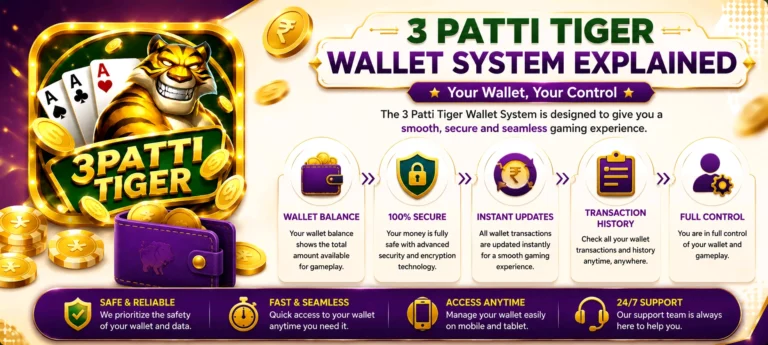
What is the 3 Patti Tiger Wallet?
The wallet is your personal balance account inside the app. It holds the money you deposit, stores your game winnings, receives bonus credits, and processes your withdrawal requests. Think of it as a digital account that sits between your payment method and the game tables — money flows in through deposits, moves through gameplay, and flows out through withdrawals.
The wallet is not connected directly to your JazzCash or EasyPaisa account at all times. It is a separate balance held inside the app. When you deposit, money moves from your payment account into the wallet. When you withdraw, it moves from the wallet back to your payment account. Everything that happens in between — games, bonuses, winnings, losses — happens inside the wallet.
Main Balance vs Bonus Balance
The wallet on 3 Patti Tiger contains two types of balance that work differently from each other.
Main Balance
This is the real money balance in your wallet. It comes from deposits you make through JazzCash or EasyPaisa. Game winnings from real money tables are added to your available balance automatically. This wallet balance is fully withdrawable — subject to the minimum withdrawal amount of PKR 500 and any applicable conditions. When you join a real money table, the bet amount is deducted from your real money balance.
Bonus Balance
This is a separate balance that holds chips and credits received from bonuses — welcome bonus, daily login reward, deposit bonus, cashback, and referral rewards. Bonus balance is used for gameplay but may have conditions attached before it becomes withdrawable. Always check the terms of each bonus inside the app to understand when and how the bonus balance converts to withdrawable funds.
How Game Winnings Are Credited
When you win a round on a real money table, the winnings are credited to your main balance instantly. The process is automatic — there is no manual claim required and no delay between the end of the round and the balance update. The amount credited depends on the game type, the bet placed, and the outcome of that specific round.
For tournament wins, the prize amount is credited to your main balance once the tournament concludes and final positions are confirmed. This may take a short time after the event ends depending on the number of participants and the prize distribution process.
How Losses Are Deducted
When you lose a round, the bet amount is deducted from your main balance immediately. The deduction matches exactly what you placed as a bet for that round — no additional charges or hidden fees are applied on top of the loss. If your main balance reaches zero, you will not be able to join real money tables until you make a new deposit.
This is why setting a clear session budget before playing matters. Monitoring your main balance during a session helps you stay within your intended spending limit without being surprised by how quickly a balance can change across multiple rounds.
How Bonuses Appear in the Wallet
Different bonus types appear in the wallet in different ways depending on how they are structured.
Welcome Bonus
Credited to the bonus balance automatically after account creation. Visible in the wallet immediately — no action needed to claim it.
Daily Login Reward
Added to the bonus balance each time you open the app and log in. The credit appears within seconds of the app loading on your device.
Deposit Bonus
Applied on top of your deposit and credited to the bonus balance at the same time the deposit is confirmed. Both balances update together after a successful top-up.
Referral Reward
Credited to the main balance shortly after the referred player completes their first deposit. Appears in your wallet without any manual claim step.
Weekly Cashback
Credited automatically to the main balance at the start of each new week if your previous week’s net result qualifies. No claim needed — it appears on its own.
VIP Rewards
Applied to the wallet when a new VIP level is reached or at the scheduled reward interval for your current level. Check the VIP section inside the app for timing details.
Transaction History
The wallet section includes a full transaction history that records every movement of money in and out of your account. This covers deposits, withdrawals, game results, bonus credits, and any other wallet activity. Each entry shows the date, time, amount, and type of transaction.
Why Transaction History Matters
Transaction history is your most reliable tool for verifying that a deposit has been received, confirming that a withdrawal has been processed, or identifying if a bonus has been applied correctly. If you ever contact support about a payment issue, your transaction reference number from this section is the fastest way to get a resolution.
Pending Transactions
Not all transactions update instantly. Some deposits and withdrawals show a pending status while they are being processed by the payment provider or the platform’s system. A pending deposit means the payment has been initiated but not yet confirmed — your balance will update once confirmation is received. A pending withdrawal means the request has been submitted and is in the processing queue.
During a pending state, do not resubmit the same transaction. Wait for the status to update — most deposits confirm within 2 to 5 minutes and most withdrawals process within 24 hours. If a transaction remains pending beyond these timeframes, contact support through in-app Live Chat with the transaction reference number from your history.
Wallet Security
Your wallet balance is tied directly to your account security. If someone gains access to your account, they have full access to your wallet — including the ability to withdraw funds. This makes account security and wallet security inseparable.
Never share your login credentials with anyone, regardless of who they claim to be. The official 3 Patti Tiger support team will never ask for your password or OTP. If you ever receive a message asking for these details, it is not from official support. Report it immediately through the in-app Live Chat and change your password without delay.
Tracking Your Balance Effectively
Check Your Balance Before Every Session
Before joining any table, check your available main balance. This prevents you from joining a high-stake table with less balance than you intended to play with, and helps you make a deliberate decision about how much of your balance to use in that session.
Separate Main and Bonus Balance in Your Mind
Bonus balance is for playing, not withdrawing — at least until the conditions attached to it are met. Treating it as a separate resource from your main balance helps you avoid confusion when calculating how much you can actually withdraw at any point.
Review Transaction History Regularly
A quick review of your recent transactions after each session helps you track exactly how your balance has moved. Over time this gives you a clear picture of your spending patterns and helps you make better decisions about how much to deposit and when.
Depositing and Withdrawing
This post focuses on how the wallet works as a system. For step-by-step instructions on adding funds, visit the deposit guide. For instructions on withdrawing your balance, visit the withdrawal guide.
Final Thoughts
The wallet is the part of 3 Patti Tiger that most players interact with every single session — but few take the time to understand it fully. Knowing the difference between main and bonus balance, understanding how winnings and losses move through the wallet, and keeping track of your transaction history puts you in a much better position than playing without that awareness.
A well-managed wallet is the foundation of a controlled gaming experience. The games are the same for everyone — but how you manage what is in your wallet is entirely within your control.